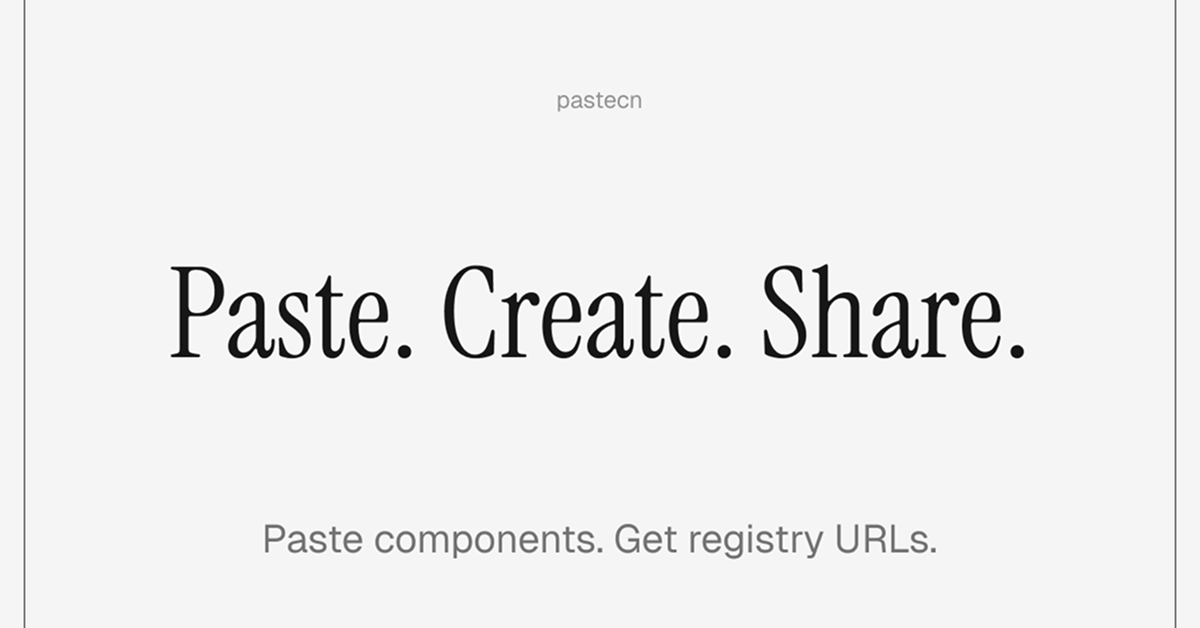
Details about Pastecn - Create shareable registry URLs
Specialized tool for generating shareable URLs from shadcn/ui component configurations or registries.
Turns your shadcn/ui setup (components, dependencies, styles) into a paste-like shareable link.
Minimalist interface with a focus on "Paste. Create. Share." workflow.
Built likely with modern web tech, aligning with shadcn/ui ecosystem (Tailwind, React/Next.js friendly).
Ideal for developers sharing UI setups, component libraries, or starter configs quickly.
#What is PasteCN?
PasteCN is a lightweight, developer-centric web tool that lets you paste your shadcn/ui registry content—such as component lists, cn utility configs, Tailwind setups, or full installation commands—and instantly generates a shareable URL. It's for frontend developers, designers, and teams using shadcn/ui who need to collaborate on UI kits, share custom component selections, reproduce setups easily, or distribute starter templates without manual recreation. Unlike general pastebins, it understands shadcn/ui specifics (like the registry JSON/format), making it a niche, purpose-built companion to the shadcn/ui ecosystem. Perfect for quick handoffs in code reviews, tutorials, team onboarding, or open-source contributions where sharing exact UI dependencies matters.
#Features ⚡
Instant URL Generation: Paste your shadcn/ui registry or config, hit create, and get a clean shareable link immediately.
Simple Paste-Create-Share Flow: Minimal steps to turn text/config into accessible, persistent URLs.
shadcn/ui Native Understanding: Optimized for shadcn/ui-specific formats, ensuring accurate rendering or installation instructions when shared.
Clean, Minimal UI: Fast-loading, distraction-free interface focused purely on the core action.
Likely Syntax Awareness: Handles code/config snippets with proper formatting for readability (inferred from shadcn/ui context).
No Heavy Registration Needed: Appears guest-friendly for quick use, emphasizing speed for devs.
#Pros ✅
Extremely niche and useful for the growing shadcn/ui community—solves a real pain point of sharing setups.
Super fast and straightforward: paste → create → share in seconds.
Enhances collaboration without needing Git repos or complex sharing tools.
Free and open for immediate use, no barriers for quick experiments.
Aligns perfectly with shadcn/ui's philosophy of copy-paste simplicity.
#Cons ⚠️
Highly specialized: Only useful if you're working with shadcn/ui; not a general-purpose pastebin.
Limited visible features on homepage—may lack advanced options like expiration, private pastes, or editing (based on minimal design).
No broad syntax highlighting or multi-language support mentioned beyond shadcn/ui configs.
Potential lack of persistence stats or community features compared to full paste services.
#Included Components - Templates
Main Paste Area: Large textarea for pasting shadcn/ui registry JSON, init commands, components list, or related config.
Create Button: Prominent action to generate the shareable URL.
Result/Share Section: Displays the generated link ready for copying and sharing.
Minimal Header/Footer: Basic branding with "Paste. Create. Share." tagline and likely creator attribution.
#Pricing 💸
Completely free to use with no mentioned tiers, subscriptions, or paywalls.
No registration or login required for core functionality (guest-friendly).
Appears fully open-access, consistent with shadcn/ui ecosystem tools.
#Integrations 🧰
shadcn/ui: Core focus—designed specifically to handle shadcn/ui registry formats and installations.
Tailwind CSS: Implicit via shadcn/ui dependency.
Next.js/React: Likely frontend stack, as shadcn/ui is commonly used there.
Browser-based: Works directly in any modern browser for pasting and sharing.
Frequently Asked Questions
What exactly does PasteCN do?
It converts pasted shadcn/ui registry content or configs into instant shareable URLs for easy collaboration.
Is it a general pastebin like pastebin.com?
No—it's specialized for shadcn/ui setups, not general text/code sharing.
Do I need an account to use it?
No, you can paste and create links anonymously without login.
Pastecn - Create shareable registry URLs
Paste your code and get a shadcn-compatible registry URL instantly.
Resource Types:
UI Kits :
Shadcn UITechnology Stack :
Featured Shadcn Products
Add Featured Product

Have a product?
Submit your Shadcn product to AllShadcn, get featured, and drive genuine traffic while showcasing your work to the world. Turn your creativity into revenue and begin selling today! 🚀